• Welcome to AppraisersForum.com, the premier online  community for the discussion of real estate appraisal. Register a free account to be able to post and unlock additional forums and features.

Attempting To Recover Files From External Hardrive

Status
Not open for further replies.

FMV

Member
Joined
Jul 18, 2013
Professional Status
Certified Residential Appraiser
State
Texas
Hey AF-
So the computer I have I purchased a few years ago and is Windows 7 and I have a WD External hardrive that I have been saving files to. We have Alamode and are aware of the Vault. We have also in the past just "Cloned" the old hardrive to a new one by taking it to a specialist but there is a cost associated with doing that of course and it seems there is limited help with that once all is completed and we are back in the privacy of our home/office trying to hook it back up.
Is anyone familiar with the WD external hardrive process of obtaining your appraisal software? This is my first time attempting to do this. Alamode It is saved on my C drive and I have noticed already that in order to recover my files-my system needs to be first set up with the Windows 7 Operating system that I use! I am somewhat familiar with most of this-but with technology these days always changing, I learn something new every time.
Any thoughts?
 
Becoming so frustrated with this that i am to the point of just taking it to the local Fry's to just clone again.. I have attempted YouTube for video assistance-but running out of luck with that as well. I have another newer computer with Windows 10-but only use that one as back-up also
 
Becoming so frustrated with this that i am to the point of just taking it to the local Fry's to just clone again.. I have attempted YouTube for video assistance-but running out of luck with that as well. I have another newer computer with Windows 10-but only use that one as back-up also

I believe your best bet is to have a professional service clone your external drive to a new internal drive.

I run A La Mode on Windows 7 on my iMac using virtual machine software. I have a backup software program called SuperDuper that clones my internal drive on my Mac to my external drive. I can boot to my external drive and restore everything to the internal drive or just run everything from the external.

I don't know about the corresponding Windows programs that will do the same but if I were you, I would invest in a backup restore program.
 
Hey Randolph-
I hear ya.. I have been thinking of going that route possibly too. I have a MAC as well that I use for all my research and LOVE IT! Just know from past experience of my hardrives crashing and losing everything..
 
SuperDuper! v3.1.7: Heroic System Recovery for Mere Mortals. It's getting better all the time.

3.1.7 is fully compatible with High Sierra, the latest release of macOS, and produces fully bootable HFS+ and APFS backups faster and easier than ever. It even supports creating and copying from snapshots! You can keep your backup on its own volume, or you can even store and Smart Update it alongside your Time Machine backups. We even let you copy your Time Machine backups to other disks, so you can back them up or upgrade to a larger disk without losing your history!

But of course we didn't abandon our non-High Sierra users. 3.1.7 is still compatible with Yosemite (10.10) and later, and as always we've made improvements for everyone. And, of course, 3.1.7 still includes all the other terrific features of SuperDuper!, including: the ability to easily schedule backups; many imaging options; more control over shutdown; AppleScript support; hundreds of UI improvements; Growl support; and an extensive, task-based User's Guide.

SuperDuper! also includes Smart Update, a great feature that updates a clone to exactly reflect any changes on the original in just minutes!

Once again, it's a free update for existing customers. Copies will auto-upgrade, but you can also download now!

https://www.shirt-pocket.com/

I have been using SuperDuper since 2009. Saved my butt several times. Once when the wildfires almost took my house, I had grabbed the external drive and evacuated so if everything burned to the ground, I lost no data or the ability to bring up a new iMac.
 
Last edited:
Hey Randolph-
I hear ya.. I have been thinking of going that route possibly too. I have a MAC as well that I use for all my research and LOVE IT! Just know from past experience of my hardrives crashing and losing everything..

Windows has been notorious for instability and crashing. Windows hardware makers are not the best, just cheap. Nothing like isolating Windows away from the hardware and real operating software.

I still run Windows XP for files and info that I have installed on it. I had to buy new Windows software to run Windows 7 64-bit. Pain in the *ss.

I have 32 GB of memory on my iMac with a 3 Terabyte fusion drive (SS drive + hard drive).
 
I'm confused.
You can re install Total by going to their web site.
Don't try to re install the program from a backup.
 
I am also confused about what you are trying to accomplish. Is this a new PC you are transfering files to? Alamode installed on Windows 10 should read the alamode files on the external hard drive the same way it did in Windows 7. Are these backup files or are they the originals? Do you have the settings in Total setup to look to the external harddrive for the files? It defaults to the C: drive if this is a new install. Are you able to see the hard drive at all? Maybe the external hard drive went bad.

I would not recommend cloning a hard drive. Why bring years worth of garbage over to a new system. Let us know exactly what you are trying to do and maybe we can be or more help.
 
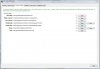
These are the folders you need to transfer to REPLACE the existing ones with AFTER you install A la mode.

These are not the exact locations, but it gives you a good starting point to work from and should narrow it down. I just went through all of this. Your 'my reports' folder and 'image files' folder are the ones that are going to be very large. Mine were about 60Gb combined.

Give us more details and I can give more details too.

TSA File Structure Screen Shot for Path info on Files.JPG
 
Status
Not open for further replies.
Find a Real Estate Appraiser - Enter Zip Code

Copyright © 2000-, AppraisersForum.com, All Rights Reserved
AppraisersForum.com is proudly hosted by the folks at
AppraiserSites.com
Back
Top