Steve,
Ahhh, mystery solved... Somehow, your config file got whacked a bit and you are running a weird mix of a custom version and the regular Assessor/Pro version. I spoke with QA and they advised we reset your config. If you give me your contact info, I will have Jonathan call you and either walk you through it or set you up with a remote session and do it for you. You can either PM me with your phone number or send me your customer number and I will pass it to Jonathan.
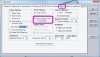
On the Zoom cursor thing, in my haste to answer your original post before going to lunch, I simply forgot to answer that. I have good news and bad news there... In most versions, I disabled the Zoom cursor because I never was really happy with it and it was causing me a problem when trying to use the regular Zoom function ([Z]) In the Pro version, it is still there under the CAD Module Tab, which should be included with your Pro license. I believe, however, the [Z] key is disabled (going to try and track that down before releasing v5.2), so you will have to switch to the CAD tab and click on the icon. Now, that said, we never fully implemented the Zoom cursor the way I intended, so that is scheduled to get looked at also for v5.2. I simply want it to be a better implementation. I recognize the usefulness of it, but the one we did for v4.x was just a quickie, down-and-dirty implementation - I never meant THAT one to make it into a production build, but alas, it did. Works "OK" but not really up to my standards. So, assuming we can get to it before v5.2 is pushed out, we will figure out what is causing the [Z] key "confusion" and get a much better Zoom cursor, to boot!

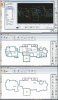
On your print, make sure you are using the Full Page Letter format - that is the only one that prints the Subject Info, which contains the those two top (left and right) fields. If nothing is entered there, of course, nothing will print. The form you are using now does not print the Subject Info, but I can add the logic that IF there is data in either or both of those two fields, that info will print. Like I mentioned, we have this part of the code open right now, so this is a good time to sneak that in for v5.2. In the meantime, you'll need to use the other letter form.
Let me know how it goes after speaking with Jonathan. Also, if you have any suggestions for improvements, let me know.
-Randall Garrett-
..Apex Software..
/end/