
• Welcome to AppraisersForum.com, the premier online  community for the discussion of real estate appraisal. Register a free account to be able to post and unlock additional forums and features.

Planned "ValEngr-RCA" Docker Container

If you don't want to wait for CRAN to install earthUI into its library, you should be able to install directly from the Github public repository:

⏺ Here are the install instructions by OS:


macOS

# Required packages (installed automatically, but just in case)

install.packages(c("earth", "ggplot2", "readxl", "shiny"))

# Recommended optional packages (for full functionality)

install.packages(c("bslib", "callr", "DBI", "DT", "jsonlite", "knitr", "plotly", "quarto", "rmarkdown", "RSQLite", "showtext", "sysfonts"))

# Install earthUI

remotes::install_github("wcraytor/earthUI", subdir = "pkg")

#No system libraries needed — Xcode command line tools (xcode-select --install) covers everything.


Windows

1. Install https://cran.r-project.org/bin/windows/Rtools/ (matches your R version)

2. Then in R:

install.packages(c("earth", "ggplot2", "readxl", "shiny"))

install.packages(c("bslib", "callr", "DBI", "DT", "jsonlite", "knitr", "plotly", "quarto", "rmarkdown", "RSQLite", "showtext", "sysfonts"))

remotes::install_github("wcraytor/earthUI", subdir = "pkg")


Linux (Ubuntu/Debian)

# System libraries needed by R packages

sudo apt-get install -y \

libcurl4-openssl-dev \

libssl-dev \

libxml2-dev \

libfreetype6-dev \

libpng-dev

\ libfontconfig1-dev


Then in R (or RStudio)

install.packages(c("earth", "ggplot2", "readxl", "shiny"))

install.packages(c("bslib", "callr", "DBI", "DT", "jsonlite", "knitr", "plotly", "quarto", "rmarkdown", "RSQLite", "showtext", "sysfonts"))

remotes::install_github("wcraytor/earthUI", subdir = "pkg")


Linux (Fedora/RHEL)


sudo dnf install -y \

libcurl-devel \

openssl-devel \

libxml2-devel \

freetype-devel \

libpng-devel \

fontconfig-devel

Then in R (or RStudio)

install.packages(c("earth", "ggplot2", "readxl", "shiny"))

install.packages(c("bslib", "callr", "DBI", "DT", "jsonlite", "knitr", "plotly", "quarto", "rmarkdown", "RSQLite", "showtext", "sysfonts"))

remotes::install_github("wcraytor/earthUI", subdir = "pkg")
 
There are "Vignettes" and README files in the package to give you some information on using it. I need to supply a TIPS file sometime this week:

1. E.g. Make sure you have a "Sale_Age" column that is the Effective date of the appraisal or market analysis minus the contract_sale_date (or whatever you call it), in days. Without Sale_Age, especially if you are taking in 5+ years in sales history, you might not even get a regression model. Sale Date can be the most critical factor in explaining price variations in some areas.
2. You are loading your data into R, so R Data Types have to be specified in the variable selection. Rather than "Date" type, "POSIXct" is recommended.
3. The most important variables are usually "Living Area", "Total Bedroom Count", "Total Bath Count" (add alll 1/4,1/2, 3/4 baths by fraction; e.g. 2 full baths, 1 x 1/4 bath, 1 x 1/2 bath + 2.75 baths), Lot Size, latitude and longitude rounded to 3 decimal places !! (if you use more than 3 decimal places you WILL get overfitting. 3 places is about 1 city block and it will take 3 city blocks of differences to make an impact on the model).
4. If you have enough data, you can always try using 'Style'.
5. I always include "HOA Fee" if it is available.
6. If there is an Area_ID for neighborhood, that is usually good to try.
7. You will get a correlation matrix which will show collinearity. Earth doesn't have a problem with collinearity.
8. There are 36 parameters that you can enter to earth. The most important are:
a. Max Interactions - Beginners need to start with 1. If you want to see some 3D graphs, you can enter 2. If you enter 2 or 3, especially 3, be on the lookout for overfitting.
b. You need at least 15 rows of data (but you can duplicate if you only have 3-5. Although your stats will be thrown off, the model will be as good as it gets.
c. Set Min Span and End Span to 0, - earth will calculate a reasonable value. Otherwise, this is an area for experts.
d. New variable penalty leave at 0, unless you are an expert.
e. fast.K, leave at 20, unless you are an expert.
f. fast.beta, leave at 1
g. allowed (Interaction Matrix): Check pairs of variables where you will allow interactiosn if the degree is 2 or greater. "Allow all" will check all. "Clear all" will uncheck all. Otherwise click on the variable name to select all interactions for that variable and then uncheck the ones you don't want. NOTE: Checking a lot of interactions can greatly slow up processing. Usually, if doing degree >= 2, you only want interactions between one of the most important variables such as sale_age or living_area and some others it might interact with. For example, we might expect homes with large lots to have a larger living area - so you could check those two.
h. Pruning method, leave to "backward" unless you are an expert.
i. Max terms should be at least the number of variables x 3.
j. CV Folds: 10 - means your data set will be randomly partitioned into 10 equal size groups, a model built on the first 9 sets and then tested on the 10th. This will be done a number of times to help create a robust model that will do well on unknown data. You are hoping for a CVR2 of 0.60 or better.
k. across: 20 - is the number of times the Cross Validation will be performed on the 10 partitions. The larger this number, the longer processing will take. But also, the more robust your model will be with unknown data.
l. varmod.method = lm, unless you are a real expert and understand this subject well.
m. Use defaults on the rest of the parameter, unless you are a real expert.

9. "Fit Earth Model" - Click to start processing. You will get a popup that shows activity. Wati to finish and then scroll back to the top to see the various ourput options such as Summary, Equation (death the "g Functions for Equations" vignette).
10. All of the output data can be dumped to a HTML, PDF or Word document. Wait for the progress bar on each to finish and disappear before trying to download another document. It is somewhat slow, - I have to look into speeding it up.

10. earthUI, will remember all the Predictor Settings for the last 100 files uploaded, so you don't have to reenter them each time. Under "3. Earth Call Parameters, it will also remember the last value used, or you can override with "Use default settings (as you set with "Save current as default" or "Earth defaults".

11. Jumping back you can choose more than one target variable, except I don't recommend it, except of experts.

12. "subset", "weights", wp(response weights) are for more experienced users. Read Milborrows notes if you want to become an expert.
 
I keep adding more to the app:
1. A checkbox added for Appraisal Features:
a. Will create a sale_age column if you don't have one and in the process ask you to identify the column that has the contract_date (whatever you call it) under "Special" dropbox.
b. Will ask for the effective_date of the appraisal or market_area_analysis and then compute the sale_age value for the added sale_age column
c. WIll ask you to identify the latitude and longitude columns, usually with 6 decimal places of accuracy and then round them to 3 decimal places to prevent overfitting (well, if you decide to include them in the regression.
2. Fixed a bug related to 3rd degree regression.
3. Does a better job of saving all settings for each input file specified (up to 100).
4. You can save the modified data to a given folder (which will be memorized per project input folder). -- Make sure the folder exists.

I have been going back and testing earth on old appraisal MLS Excel spreadsheets - and will keep doing so.

Remember, often the way to get robust (high CVR2) and high R2 models is to just keep trying - you often win by:

a. Increasing Min span (say to 12), increasing End span to say 6
b. Increasing New Variable penalty to say 2
c. Increasing fast.beta to 40 or 60
d. Playing with Max terms before pruning
e. Modifying GCV penalty ( but 3 is a good one)
f. Sticking with Max interactions = 1 (unless you have a very good reason to go to 2 or 3).
g. Play with Max terms after pruning.
h. Maybe increase ncross to 100 or so ( but it takes longer).
i. Be careful with allowed interactive columns.

===

CRAN says I have passed all their tests, but since this is my first submission, they will likely hold it for a week or two. Anyway i submitted Saturday night and have since made a lot of changes. As soon as they officially put it in their library, I will add the recent changes, which apparently takes only about 24 hours.


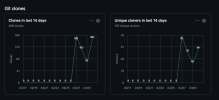
Some takers:Screenshot 2026-03-03 at 20.21.46.png
 
Last edited:
Except for bug fixes, today's addition should be the last for this program.
1. It has 3 options: a) General Earth (MARS) Regression b) For Appraisal c) For Market Area Analysis.
2. If the regression is for appraisal, the first row of the spreadsheet is expected to be subject data.
3. After the intermediate, post-earth fit download, you estimate the CQA score for the subject, comparing it to the sorted residuals. Actually, it is better to use the residual_sf or residual/living area. Then give it a CQA score (will ask for it in step 6). In the next step #6: Calculate RCA Adjustment and Download, it will create all of the adjusted values, and from that, calculate adjusted sale prices for all comparables and essentially give you a first estimate of the subject value.
4. NOTE: Of course, this is NOT an appraisal. You still need to break down the residual for each comparable and the subject into components and calculate their adjustments. However, these adjustments should add up to the total residual for each related comparable and the subject.
5. It is always the case that an appraiser familiar with the market area must review the earth model and make sure it makes sense (has a reasonable interpretation). He may need to get more data, if available. But this computation is against legitimate mathematical constraints.
6. If your model is not good enough, for example, say it is overfitted, one sign is that when the properties are ranked from highest to lowest residual, they should also be ranked by appeal, except for anomalies like short sales, auction sales, or probate sales.

Further development means adding aggregations and fitting this large spreadsheet into a real sales grid, including handling the breakdown of the residuals - work for a more advanced interface.

But with a little manual work on your part this should make RCA doable.
 
Find a Real Estate Appraiser - Enter Zip Code

Copyright © 2000-, AppraisersForum.com, All Rights Reserved
AppraisersForum.com is proudly hosted by the folks at
AppraiserSites.com
Back
Top