
The Premier Online Community for Real Estate Appraisers!
-
Welcome to AppraisersForum.com, the premier online
 community for the discussion of real estate appraisal. Register a free account to be able to post and unlock additional forums and features.
You are using an out of date browser. It may not display this or other websites correctly.
You should upgrade or use an alternative browser.
You should upgrade or use an alternative browser.
Alternatives to Real Estate Graphics?
- Thread starter LAEVE
- Start date
- Status
- Not open for further replies.

TerryRohrer
Elite Member
- Joined
- Aug 13, 2005
- Professional Status
- Certified General Appraiser
- State
- Montana
Alternatives to what? I haven't thought about them in 15 years! What do you need?So Real Estate Graphics finally made good on their 2011 threat to cease operations.
I think they started as "Forms and Worms".
Anyone know an alternative?

- Joined
- Jan 15, 2002
- Professional Status
- Certified General Appraiser
- State
- California
If you're talking about making maps or marking up assessor plats then you can just print to a pdf and use the markup tools in Adobe or whatever PDF editor you use. For assessor maps I use the polygon tool set to a 50% transparency.
For street maps I use the online maps at the cities or counties and their own internal markup tools. If I'm working in a county or city that doesn't have that combo I just use the L.A. County Dept. of Regional Planning map tool (Z-Net) , which a couple of their base maps cover the entire country and which also has internal markup tools. The map below isn't even located in L.A. County - it's in Orange County.
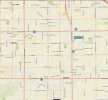
For street maps I use the online maps at the cities or counties and their own internal markup tools. If I'm working in a county or city that doesn't have that combo I just use the L.A. County Dept. of Regional Planning map tool (Z-Net) , which a couple of their base maps cover the entire country and which also has internal markup tools. The map below isn't even located in L.A. County - it's in Orange County.
Last edited:
TerryRohrer
Elite Member
- Joined
- Aug 13, 2005
- Professional Status
- Certified General Appraiser
- State
- Montana
Many digital options are very useful and efficient once you figure them out. I used PaperPort for many years as you could import most file types and add the same arrows and labels you used to, but without any clutter on your desk. SnagIt also takes screen captures and allows some annotating, all on your screen.

 www.techsmith.com
Buy Snagit
Get the latest version of Snagit with advanced caption and editing options. Buy online today.

Mejappz
Elite Member
- Joined
- Dec 16, 2005
- Professional Status
- Certified Residential Appraiser
- State
- Florida
My maps...mymaps.google.com
Google product...not Google maps, allows pin drop, address search, lat/long pin drop...re-label and color code pins.
I have been trying my maps and it works well. Have you figured out how to get the straight line distance from the subject to the comps?

Zephyr999
Member
- Joined
- Oct 23, 2015
- Professional Status
- Certified General Appraiser
- State
- Wisconsin
As in miles between? Can't say as needed to...the map can be interfaced with radius overlay, that I've done.I have been trying my maps and it works well. Have you figured out how to get the straight line distance from the subject to the comps?
Mejappz
Elite Member
- Joined
- Dec 16, 2005
- Professional Status
- Certified Residential Appraiser
- State
- Florida
As in miles between? Can't say as needed to...the map can be interfaced with radius overlay, that I've done.
Yes, in miles. I haven't figured it out yet.
LAEVE
Freshman Member
- Joined
- Oct 7, 2016
- Professional Status
- Certified General Appraiser
- State
- California
If you're talking about making maps or marking up assessor plats then you can just print to a pdf and use the markup tools in Adobe or whatever PDF editor you use. For assessor maps I use the polygon tool set to a 50% transparency.
For street maps I use the online maps at the cities or counties and their own internal markup tools. If I'm working in a county or city that doesn't have that combo I just use the L.A. County Dept. of Regional Planning map tool (Z-Net) , which a couple of their base maps cover the entire country and which also has internal markup tools. The map below isn't even located in L.A. County - it's in Orange County.
View attachment 72570
- Status
- Not open for further replies.